
Markdown notes · local-first · your own server
Your notes are files. The server is yours.
Verso is a note app that opens any folder of Markdown files — an Obsidian vault too — and never rewrites a file by opening it. With UniVerso, Verso’s server that you install yourself, the same folder stays in step across your computers, opens in a browser and on a phone, and can be shared with other people.

- status
- in testing; no public download yet
- runs on
- macOS, Windows and Linux; in a browser and on a phone, through a UniVerso
- server
- UniVerso, on a machine of yours: a mini PC, a NAS, the smallest VPS
- licence
- MPL-2.0
- costs
- nothing beyond the machine it runs on
Who it is for
-
The files are the truth
For people who already keep notes in Markdown — in Obsidian or in any folder — and want the same notes on the computer, in the browser and on the phone without a third-party service in between.
-
The server is yours
For a household, a tabletop RPG group or a small team that wants to share folders on a server someone they trust runs.
-
An agent reads the notes
For people who want an AI agent to read the notes: Verso has an MCP server that searches and reads the folder, tied to no model provider.
How it works
The files are the truth
Every note is a .md file in an ordinary folder on your disk. Verso opens the folder the way a code editor does: nothing imported, no database in place of the files. The search index is a cache; deleting it loses nothing.
Opening a file never rewrites it — not the frontmatter, not the line endings, not the spacing. Converting anything is your action, with the difference shown. Every write is atomic and first checks whether the file changed on disk since it was read; if it did, Verso shows the difference instead of writing over it.
The server is yours
UniVerso is Verso as a server: one program, installed as a Docker image (amd64 and arm64), as a .deb or .rpm package with systemd, or from an archive. It holds the accounts and the folders — ordinary folders of Markdown on the server’s disk. Nobody signs themselves up: the admin invites. Each folder has an owner, editors and readers.
-
Step 1
Connect a folder to a UniVerso
In Settings › Sync, a folder of this computer starts to stay in step with a folder of the UniVerso. A change crosses when saved, and the first sync deletes nothing.
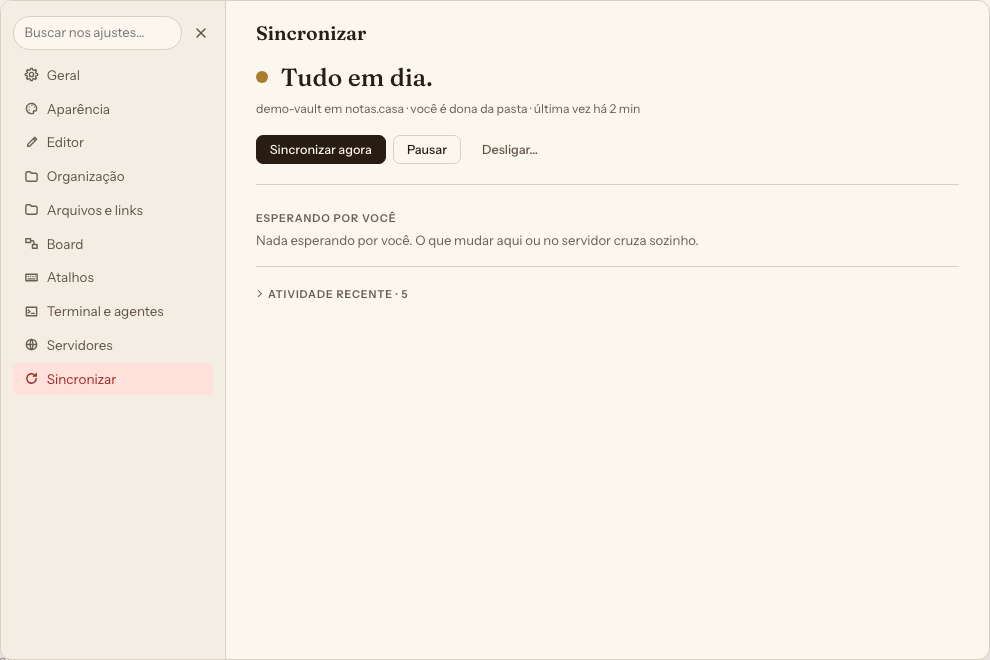
Fig. 2 Settings › Sync when nothing is waiting for you. -
Step 2
Open it in a browser and on a phone
UniVerso serves the app’s own window; on a phone and a tablet it installs on the home screen. Each folder shows your role in it: owner, edits or reads only.
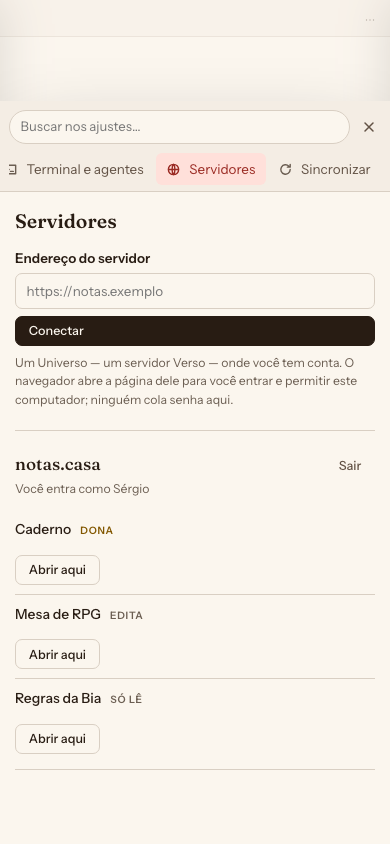
Fig. 3 On a phone: a UniVerso’s folders, with each person’s role — owner, edits, reads only. -
Step 3
Run it from the console
Nobody signs themselves up: the admin invites. At
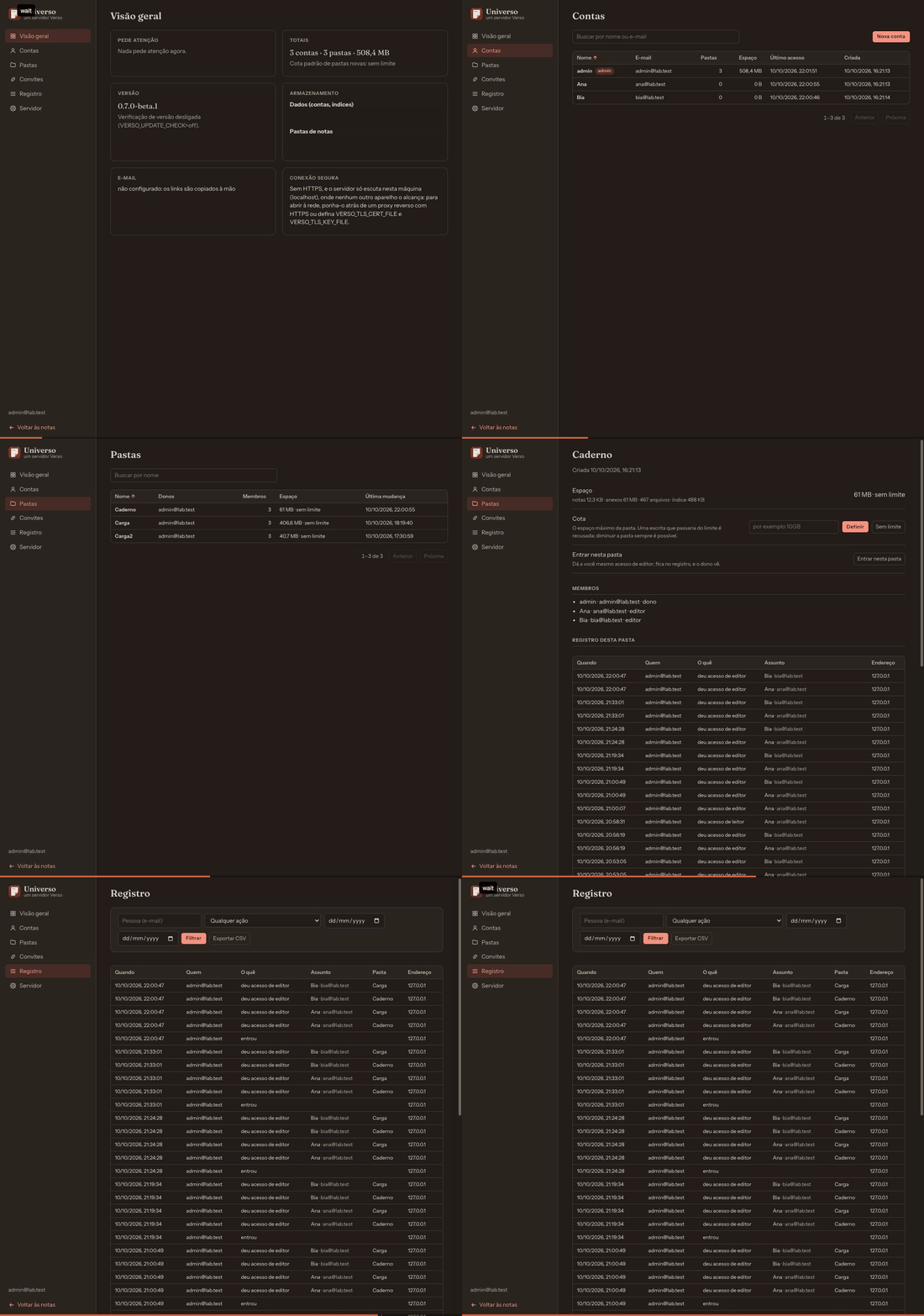
/adminare the accounts, the folders, the invitations, the quotas and the audit log.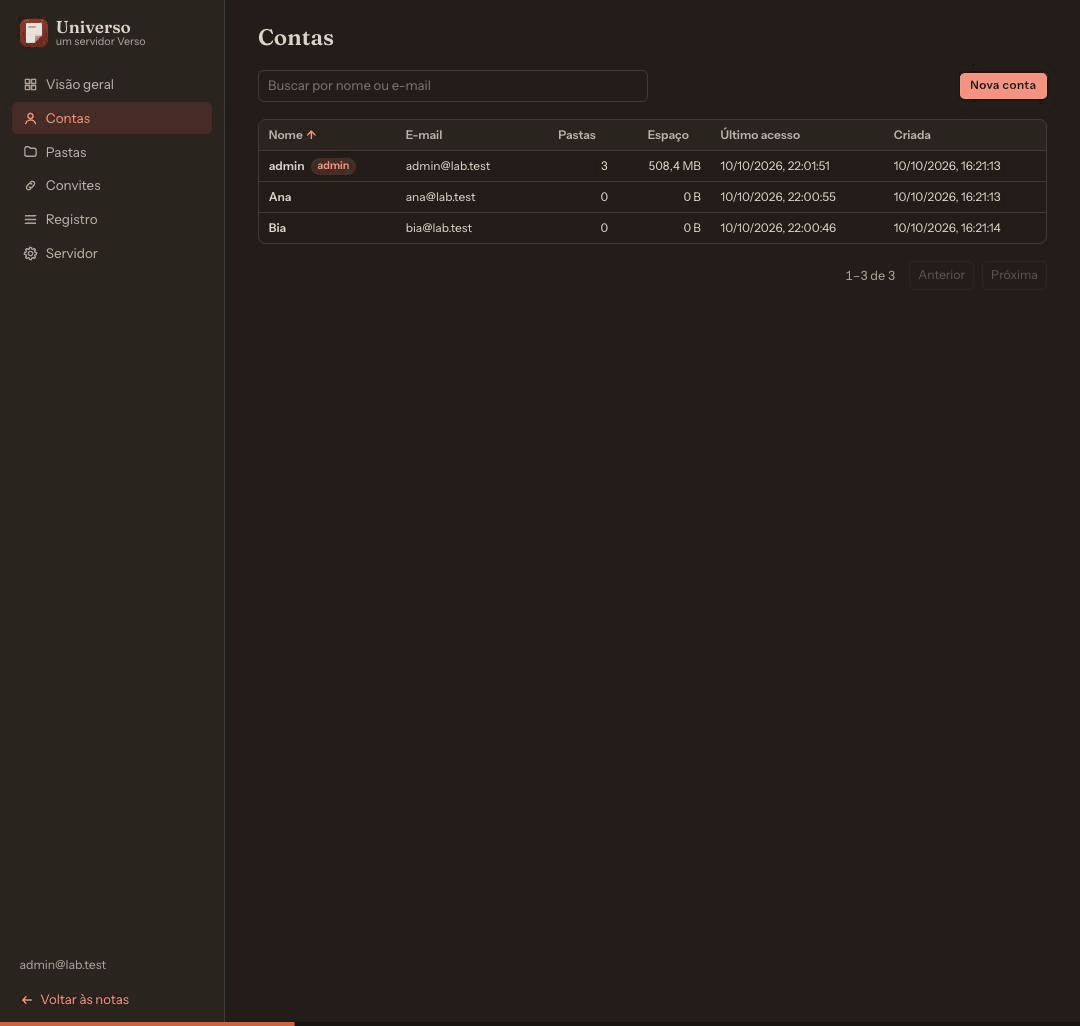
Fig. 4 The admin’s console, on the Accounts page.


- Sync
- A folder of this computer stays in step with a folder of the UniVerso. A change crosses when saved. A file changed on both sides becomes a copy beside it, never a loss; the first sync deletes nothing.
- Share
- The owner gives another account of the same UniVerso read or write access to a folder, and can take it back.
- Edit together
- While sync is connected, a note two people have open receives the other’s edits letter by letter, with each one’s cursor and name.
- Trash
- What is deleted is kept for 30 days by default, with who deleted it and when, and goes back to its place with “Restore”.
- Console
- The admin sees accounts, folders, invitations, quotas and the audit log at
/admin. - Browser and phone
- UniVerso serves the app’s own window; on a phone and a tablet it installs on the home screen.
A 1 GB VPS is enough
We measured on a virtual machine sized like the smallest VPS: 1 core, 1 GB of memory, a 10 GB virtual disk, Ubuntu with no desktop, and UniVerso installed from the .deb. Four computers — two Macs, one Windows, one Linux — synced a folder of 133 files and 62 MB with it.
- ~18 MB of memory with the program just started
- < 2 % CPU over 20 minutes of the four editing
- 69 s for the first sync of the 62 MB to the four at once
- 50 devices writing at once for 60 s, with no integrity problem
All the numbers
| Situation | Measured |
|---|---|
| The program just started | about 18 MB of memory |
| 20 minutes of the four editing | CPU under 2 %; the five copies byte-equal at every checkpoint |
| First sync of the 62 MB to the four at once | 69 s |
| One device writing alone | about 100 ms per write — the disk’s time |
| 50 devices writing at once for 60 s | 1001 operations; half waited up to 4.5 s in the disk’s queue; no integrity problem |
| After a burst of 50, in the shipped build | about 70 MB held |
| On a machine with 453 MiB of memory | two bursts of 50 without the process being killed, at half the throughput |
The minimum we suggest: 1 core and 512 MB, for 1 to 3 people with small attachments. For a family or a team of up to about 10 people, 2 cores and 2 GB — an estimate, not measured yet. The machine was on the local network, not at a provider; a Raspberry Pi and a NAS have not been measured yet.
The throughput figures come from the build used in the tests; the memory after a burst, from the build that ships. The full numbers are in the server’s install guide, which comes out with the code.
One e-mail when there is something to download. Join the waitlist
At work
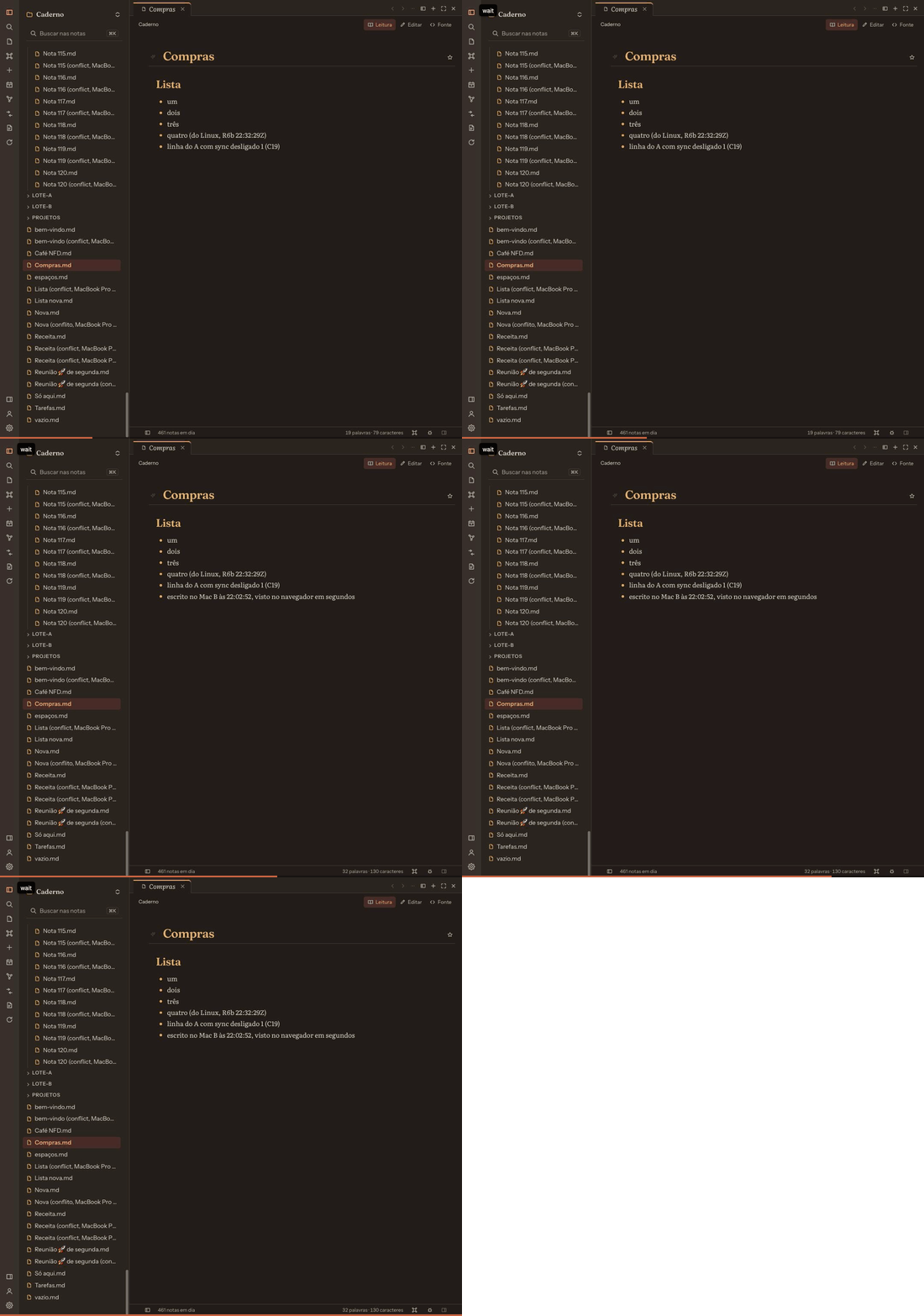
Recorded in Verso’s test lab, in Portuguese — hence the folders full of numbered notes and conflict copies.


What it does not do yet
Better to know before.
- No public download. Verso’s repository is still private. When it opens, the installers for macOS, Windows and Linux and UniVerso’s packages appear on this page.
- No offline use on a phone. On a phone and in a browser you work directly on the server’s folder; without a connection, you cannot edit. A local copy with a queue of writes is a later step.
- No plugins. Neither Obsidian’s nor its own. A plugin system is planned; Obsidian’s plugins do not run in Verso.
- No public links for shares. Sharing is between accounts of the same UniVerso. A link anyone can open, without an account, does not exist.
- No end-to-end encryption. Editing together and searching on the server need the server to read the files: whoever hosts sees the notes. Encryption at rest is the server’s disk’s.
- No sync through Dropbox, Google Drive or iCloud. Today sync is with a UniVerso only.
Questions
What is the licence?
MPL-2.0, for the core and the app. You may use, study, change and redistribute it. Whoever distributes a changed version of one of Verso’s files publishes that file; running Verso as a service requires publishing nothing.
Is it compatible with Obsidian?
Verso extends Obsidian’s dialect and never contradicts it: [[…]] links, embeds, callouts, tags, frontmatter properties and .canvas boards (JSON Canvas) open as in Obsidian, and no extension of Verso changes the meaning of something that already exists. Verso’s configuration lives outside the folder, so the same vault opens in both.
Verso is not an Obsidian clone and does not run its plugins.
What about privacy?
The app sends no telemetry. It reaches the network only for addresses in your notes or that you click, to check for a new version, and for the UniVerso you set up.
On a UniVerso, the notes live on the host’s disk — and whoever hosts can read them (see above).
This site has no analytics and no cookies. The waitlist keeps your e-mail, the page’s language and the time, and serves only to tell you when there is something to download.
What does it cost?
Nothing. There is no paid service and no paid plan; the only money foreseen is donations, and a donation does not buy a feature. The server is your machine: a computer at home, a NAS or a VPS whose bill you already pay.
When does it open?
No date set. Leave your e-mail and we will tell you when there is something to download.
Waitlist
One e-mail when there is something to download.